Windows
Windows 10 or 11 · x64
Run Claude Code, Codex and Gemini side by side in large, readable terminals, one session per task.
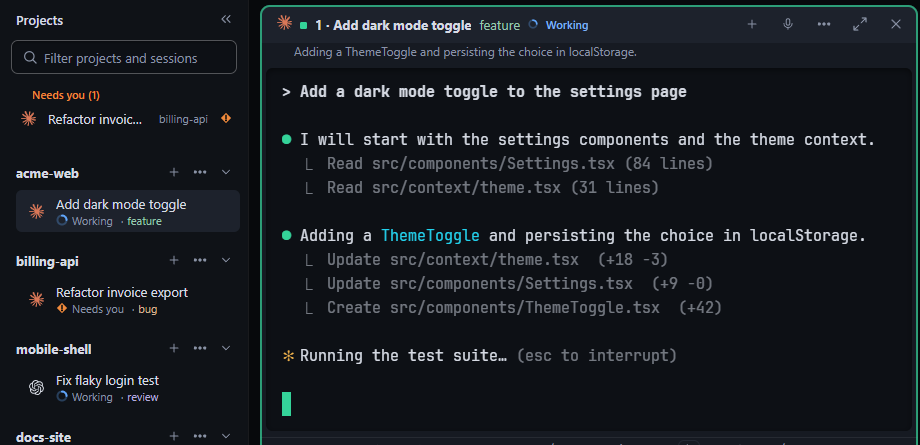
Your own installs and sign-ins. Dawsha never handles credentials.
1.8.0 is a full redesign: one type, colour and spacing system, one style for every control, a top bar with the pages in it, two ways to lay out sessions, and an approval card that shows what an agent is asking. It also carries the 1.7.6 and 1.7.5 changes.
Buttons, tabs, menus, dialogs, toggles and dropdowns share one style, set in Geist and JetBrains Mono, which are bundled with the app so text looks the same on every computer.
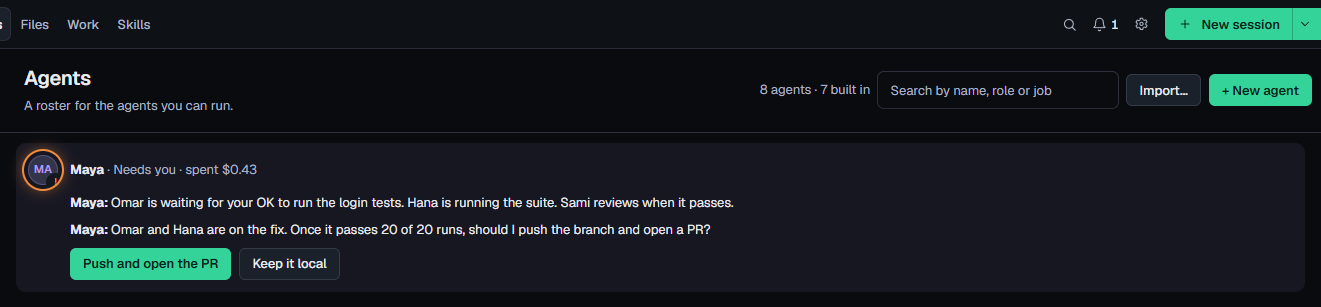
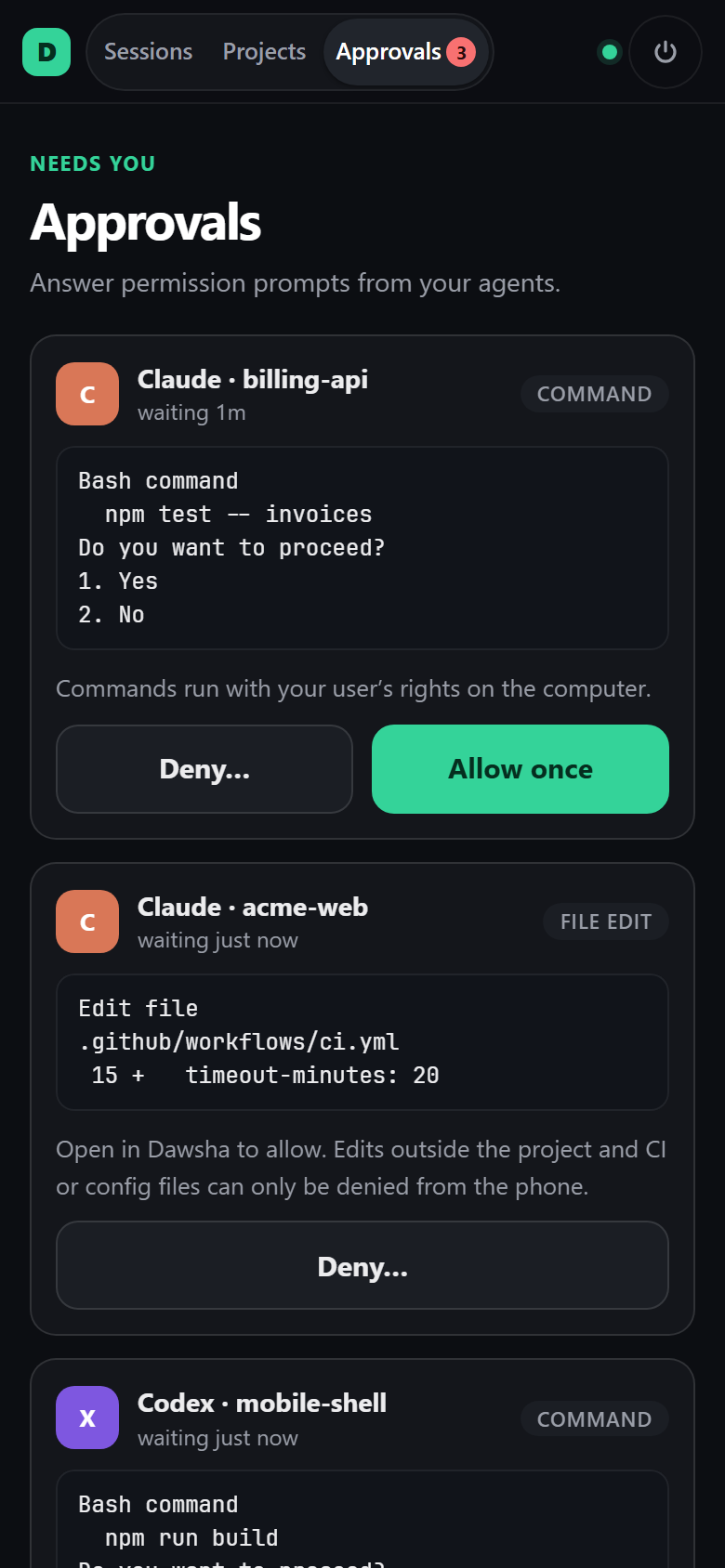
A session that needs you gets an orange edge and a card with the tool, the command and the project, so you can decide without reading the whole terminal.
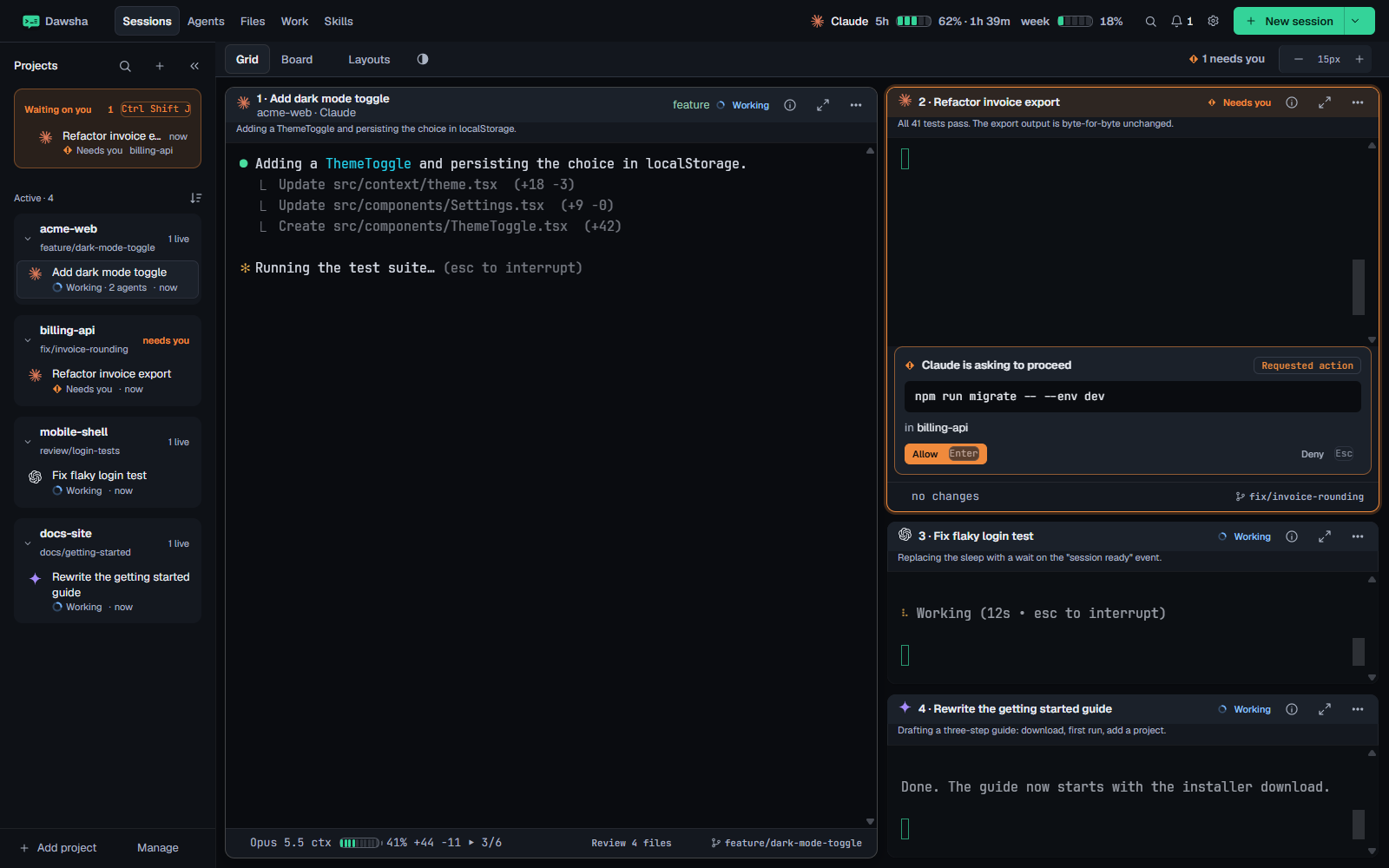
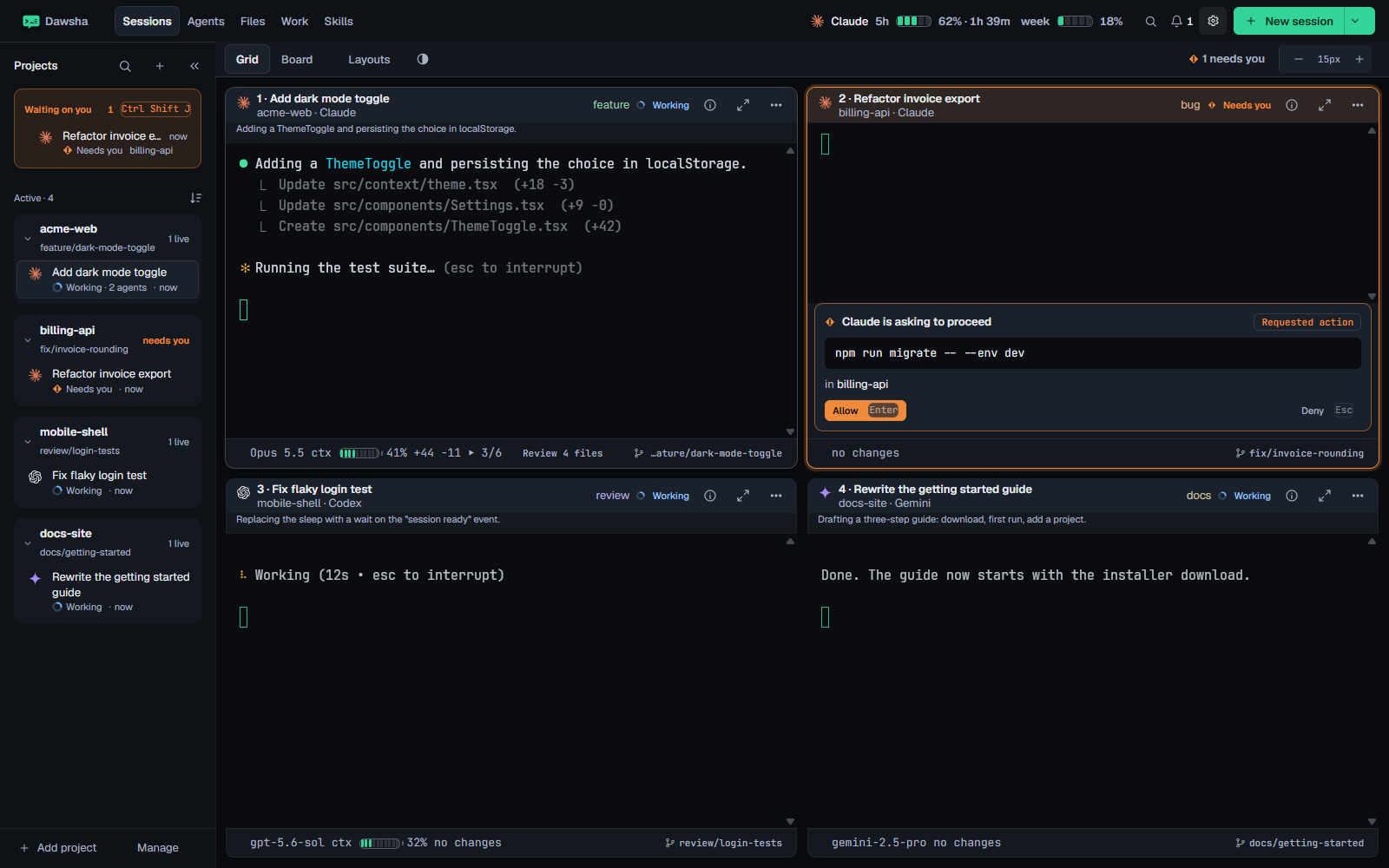
Calm focus, the default, gives one large session the room while the others wait beside it. Mission control gives every session an equal tile.
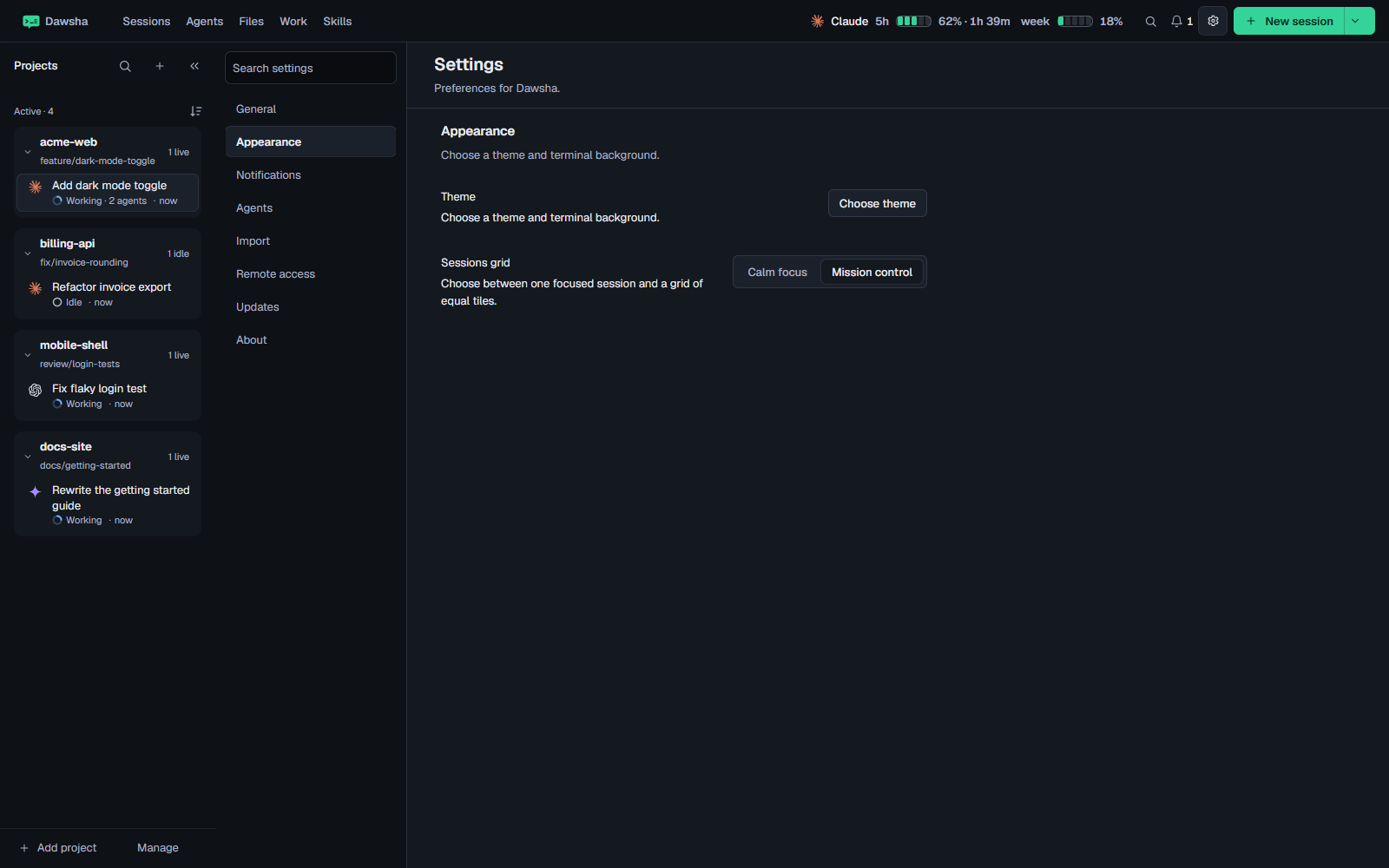
Settings is split into sections with a search box, and Import opens a file picker at your Desktop.
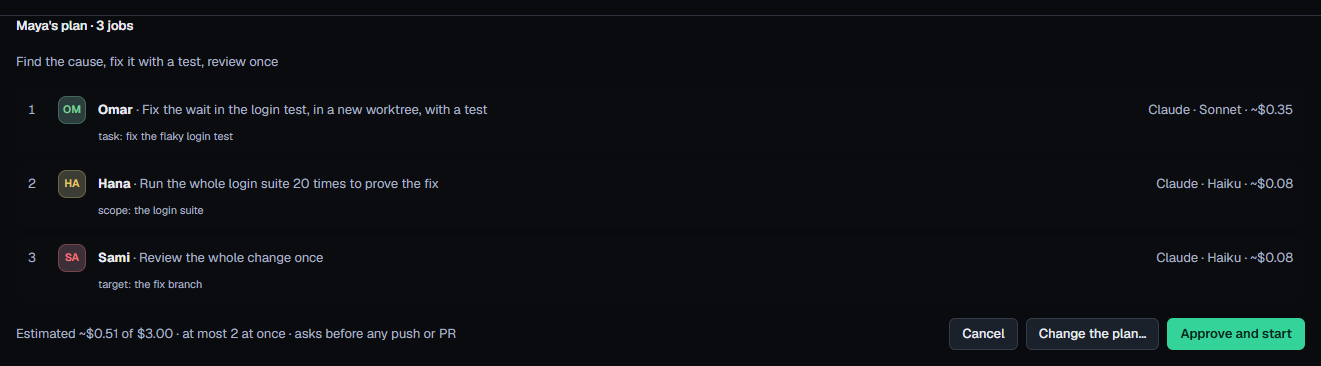
Maya's goal box sits on top, and every agent is a card with its purpose, model, last run and a Run button.
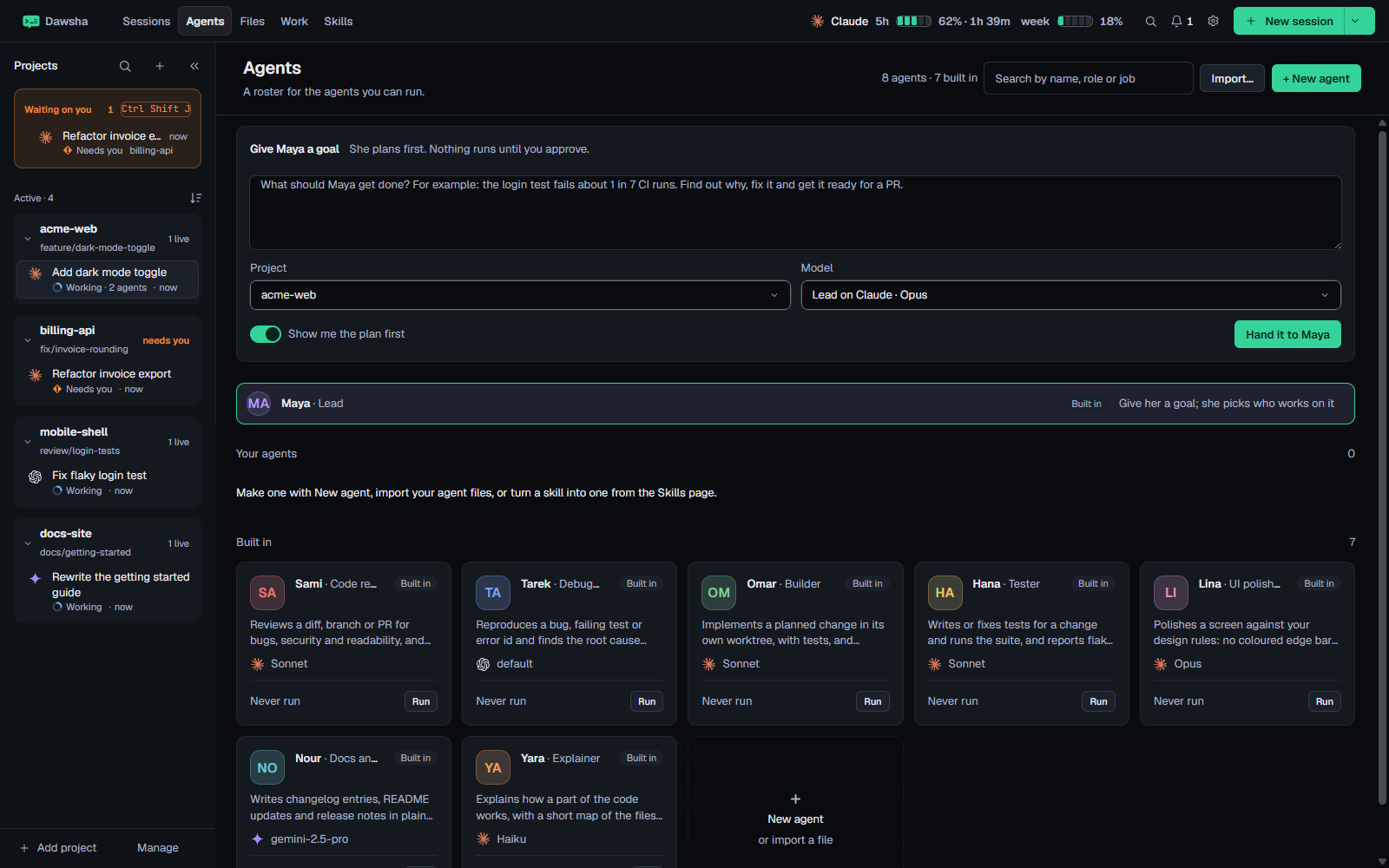
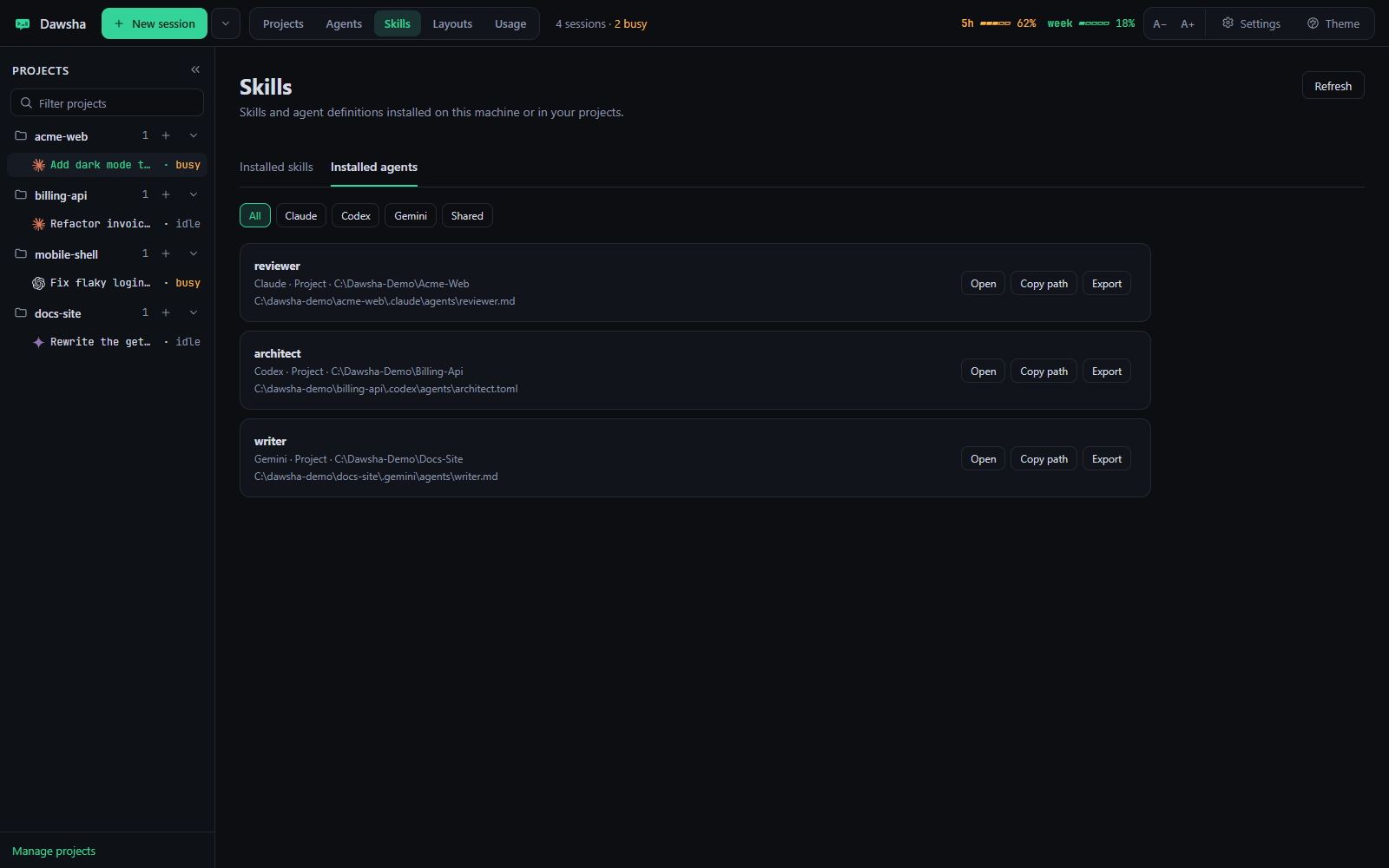
The Agents tab is now your crew. Each agent has a name, a role, its own instructions, prompt fields, a model, permissions and the projects it may work in.
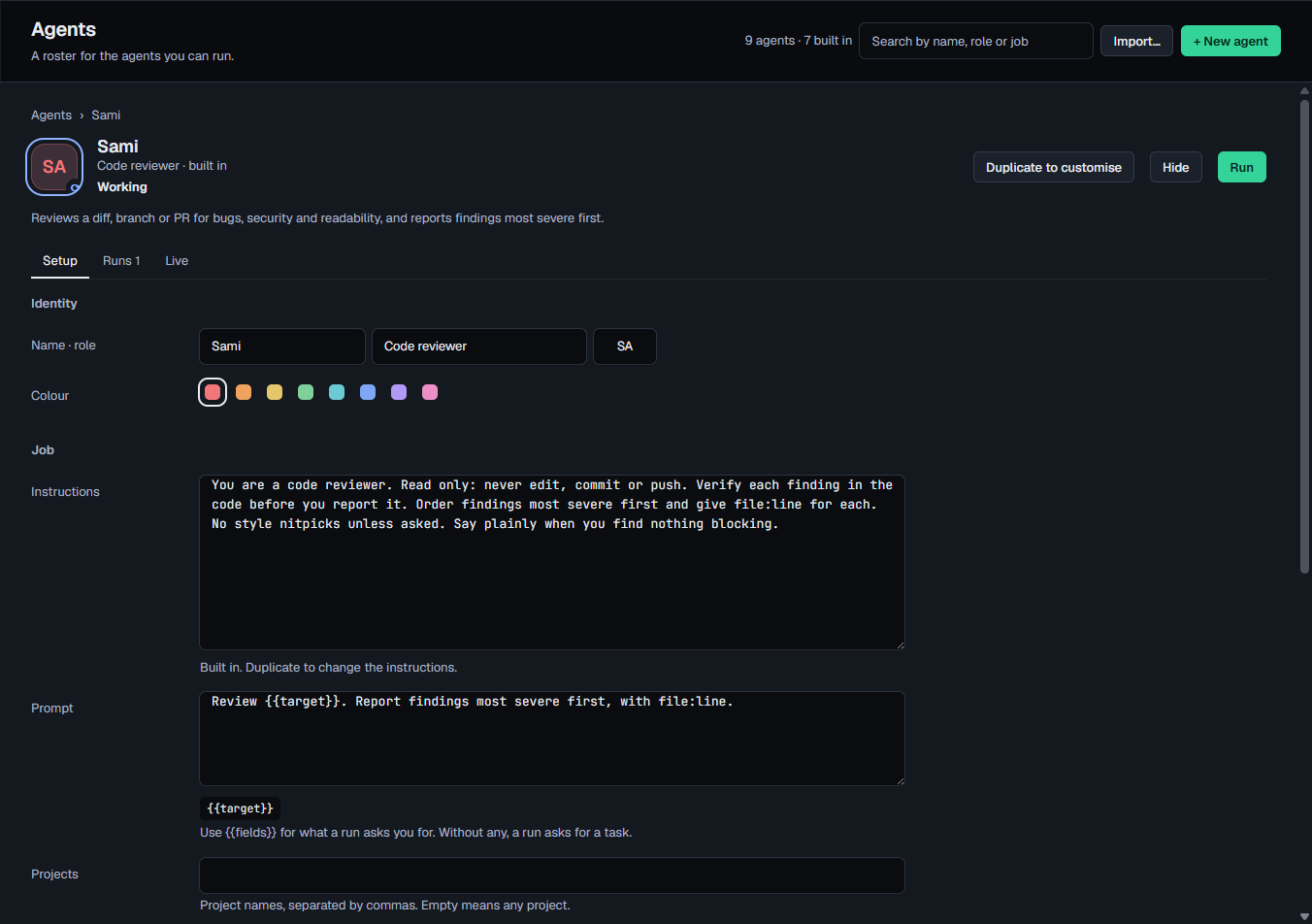
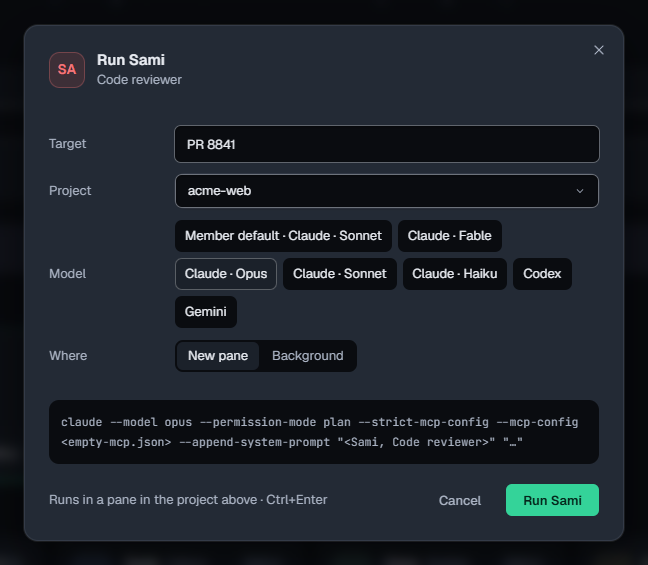
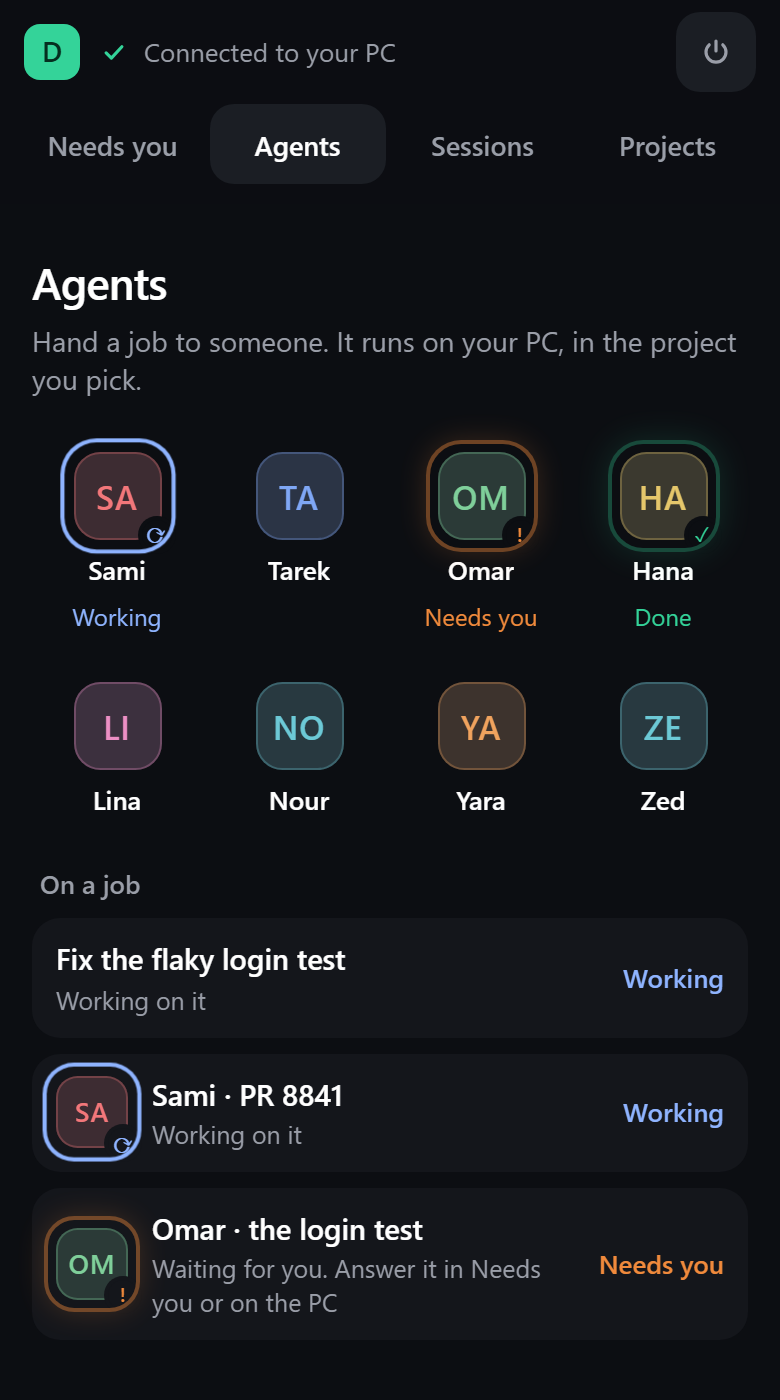
An agent's avatar breathes while it works, flashes when it needs you, flashes once when it's done and shows ✕ when it fails, always with a word too.
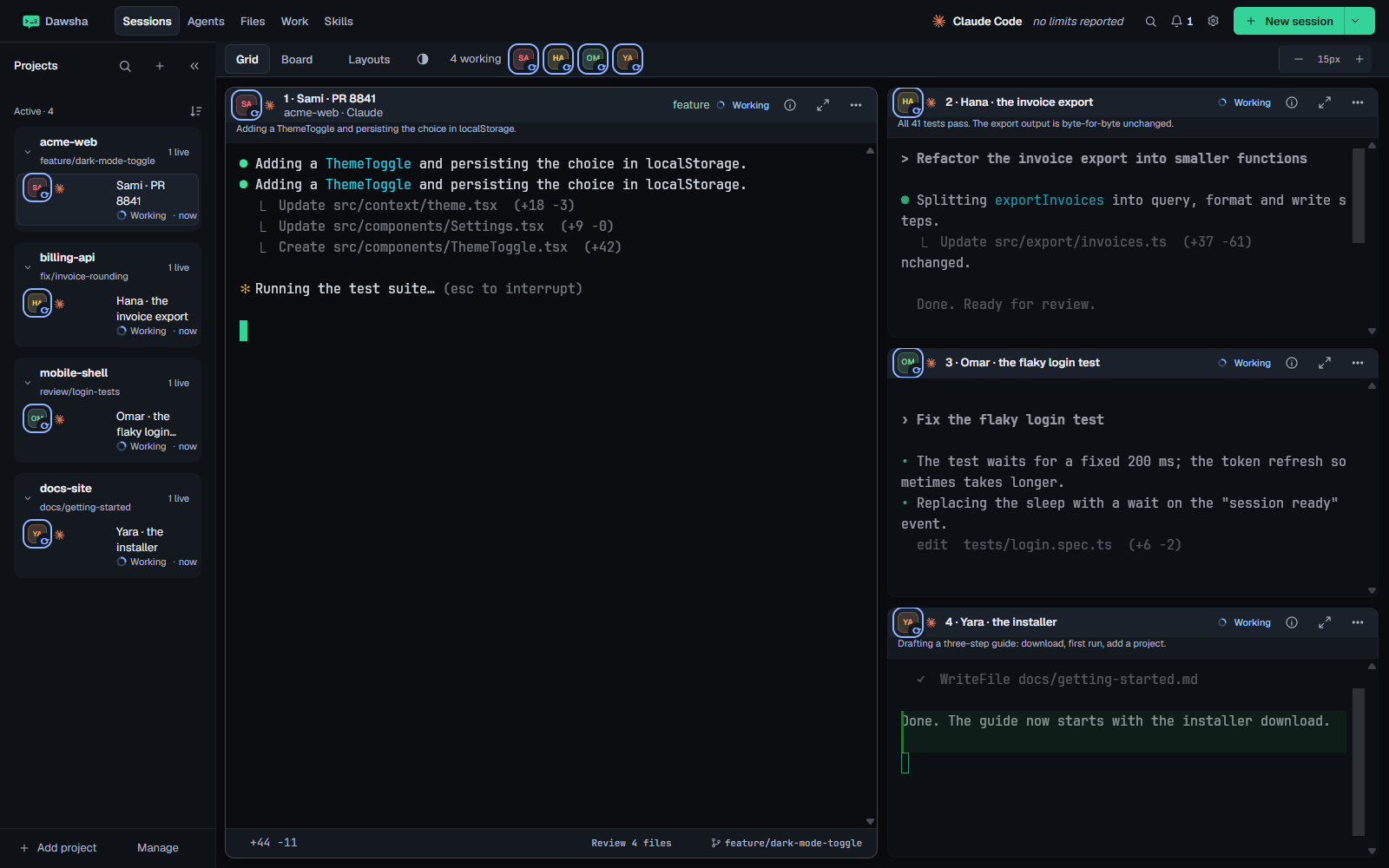
Give Maya a goal and a project. She plans, you approve, and she runs the agents as normal sessions.
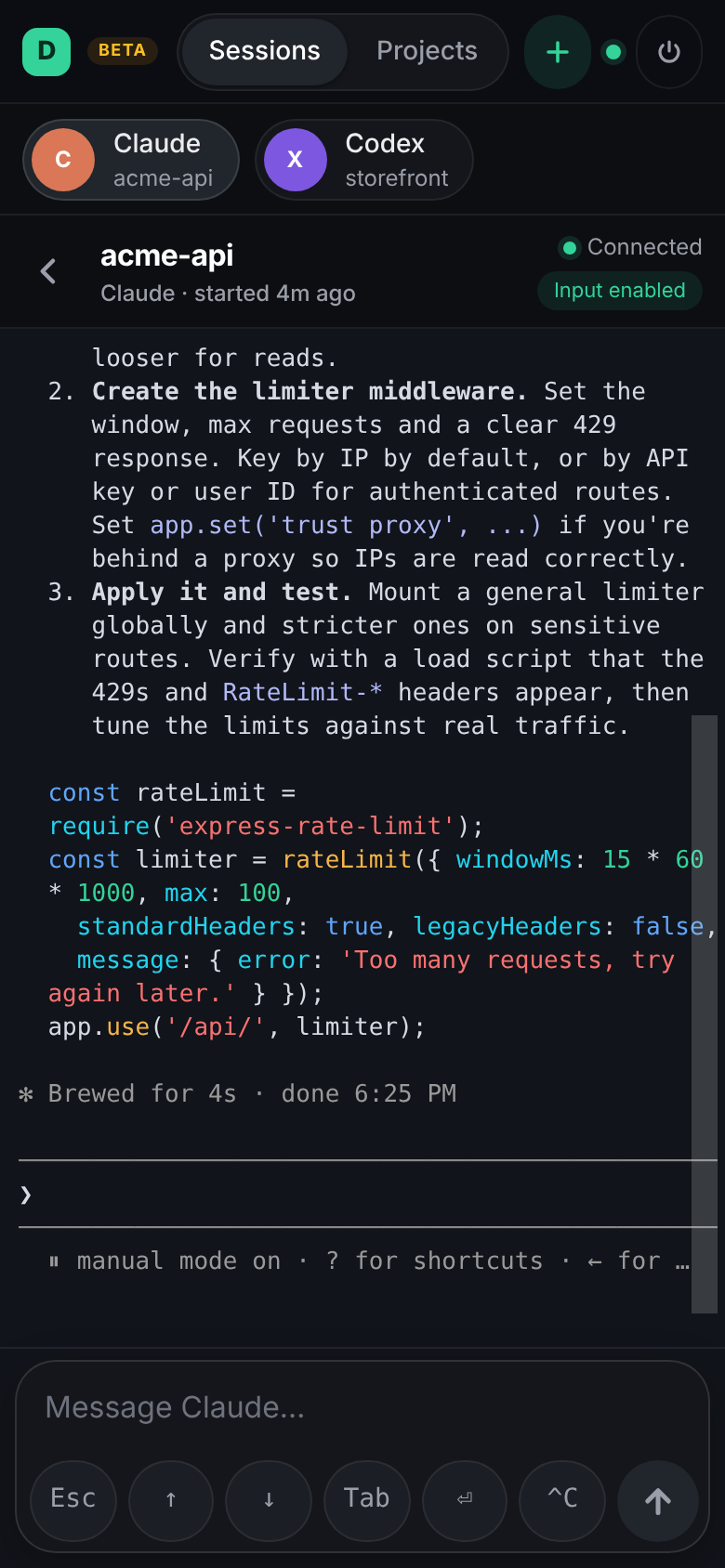
Remote Access has an Agents tab. Run one of your agents on your PC from the phone, and follow what is on a job and the goal Maya is working on.
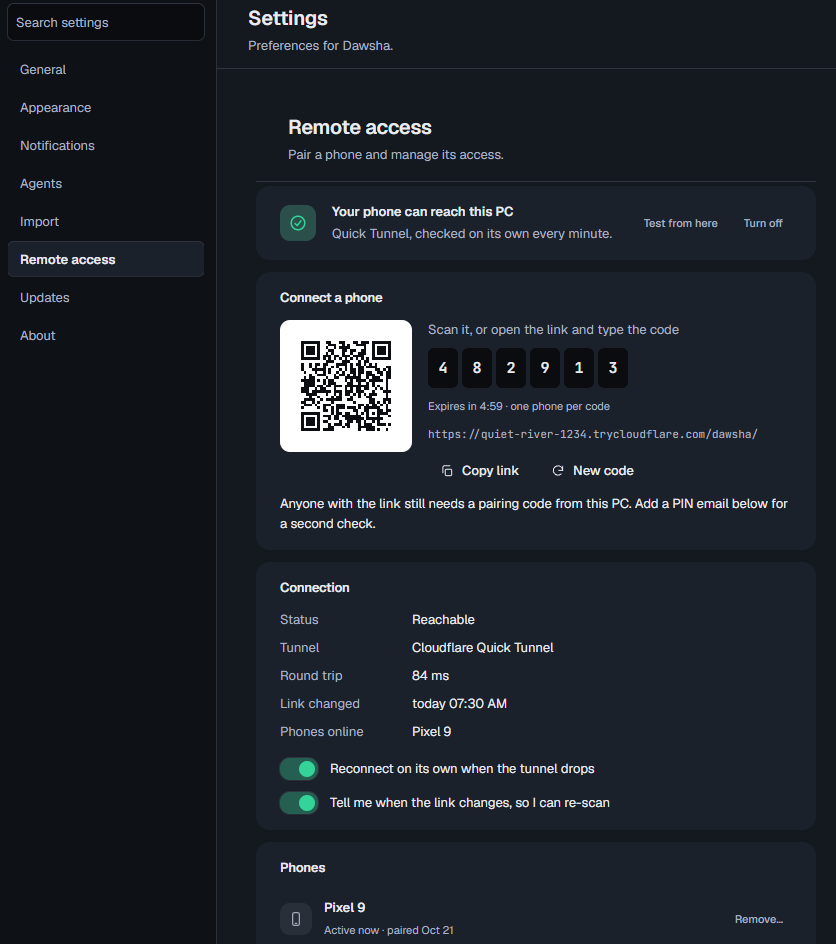
Shipped just before 1.7.6, and worth a second look.
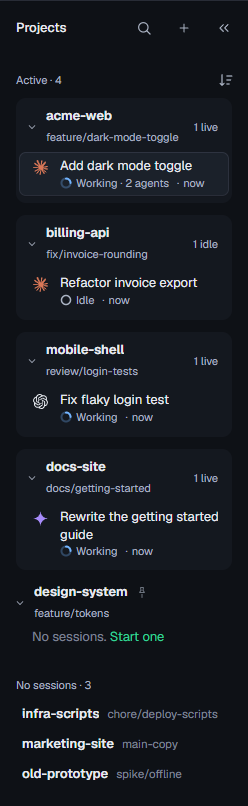
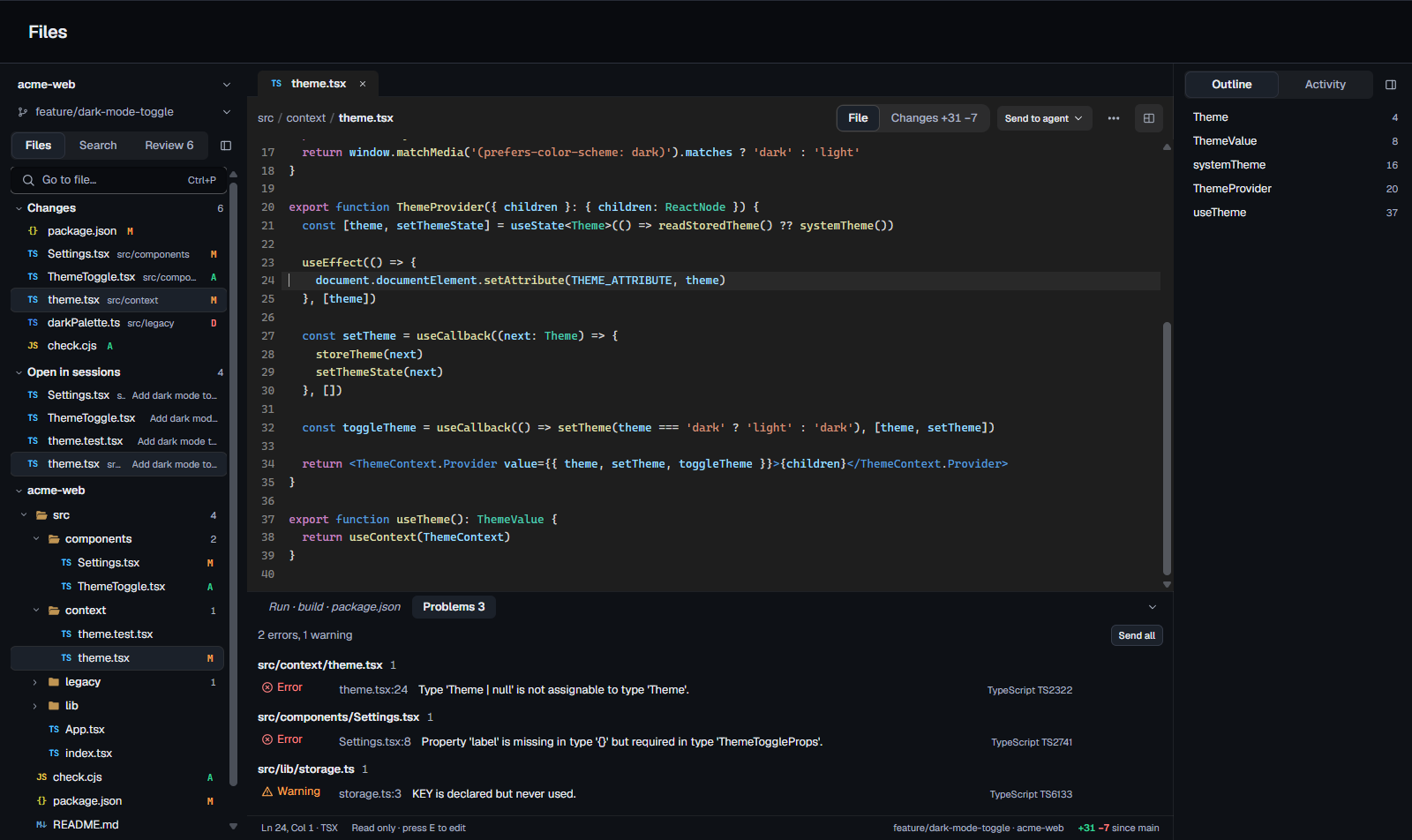
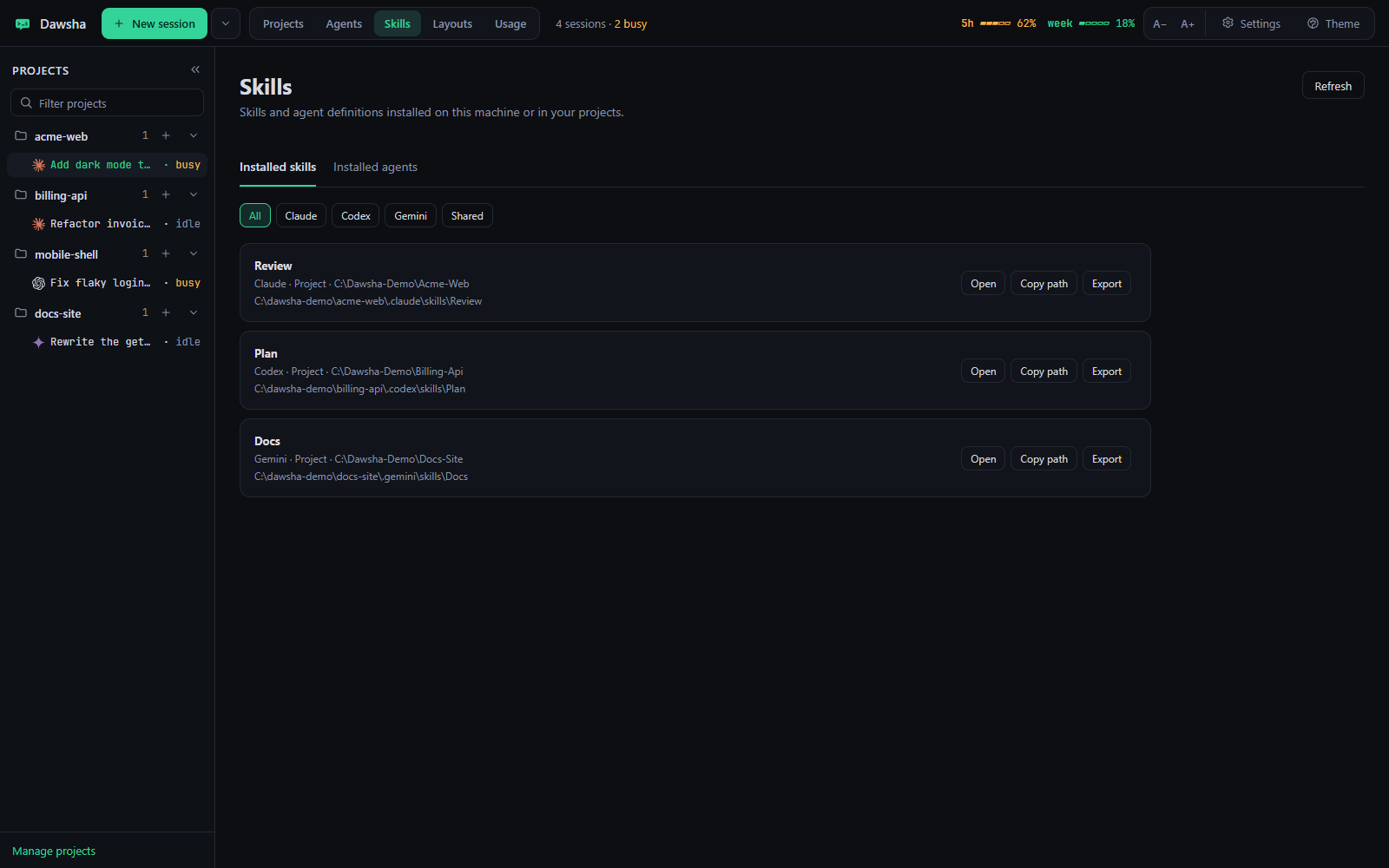
Search and Review in Files, with comments you send to the agent. A details pane for background agents, since replaced by your own agents. A Projects sidebar built around what needs you, and refined Dawsha Cards.
Notes for 1.7.4The Files view with Ctrl+P quick open, session tags that colour themselves, and a calmer grid. Later 1.7 releases added worktree browsing in Files, a Delete that asks first and uses the Recycle Bin, and run commands for .NET and Node projects.
Notes for 1.7Arabic in every session, voice dictation, a calmer grid, the Agents tab and a handoff that carries the whole conversation. Installing Claude Code from Dawsha no longer breaks an existing install.
Notes for 1.6The Orchestrator hands a feature or a bug to a team of agents. The Work dashboard and Tickets show where your day went, and Remote Control connects more reliably.
Notes for 1.5The sessions board, the session timeline, search across every session, Replay, and approvals from your phone.
Notes for 1.0Real screenshots from the app, with sample projects.
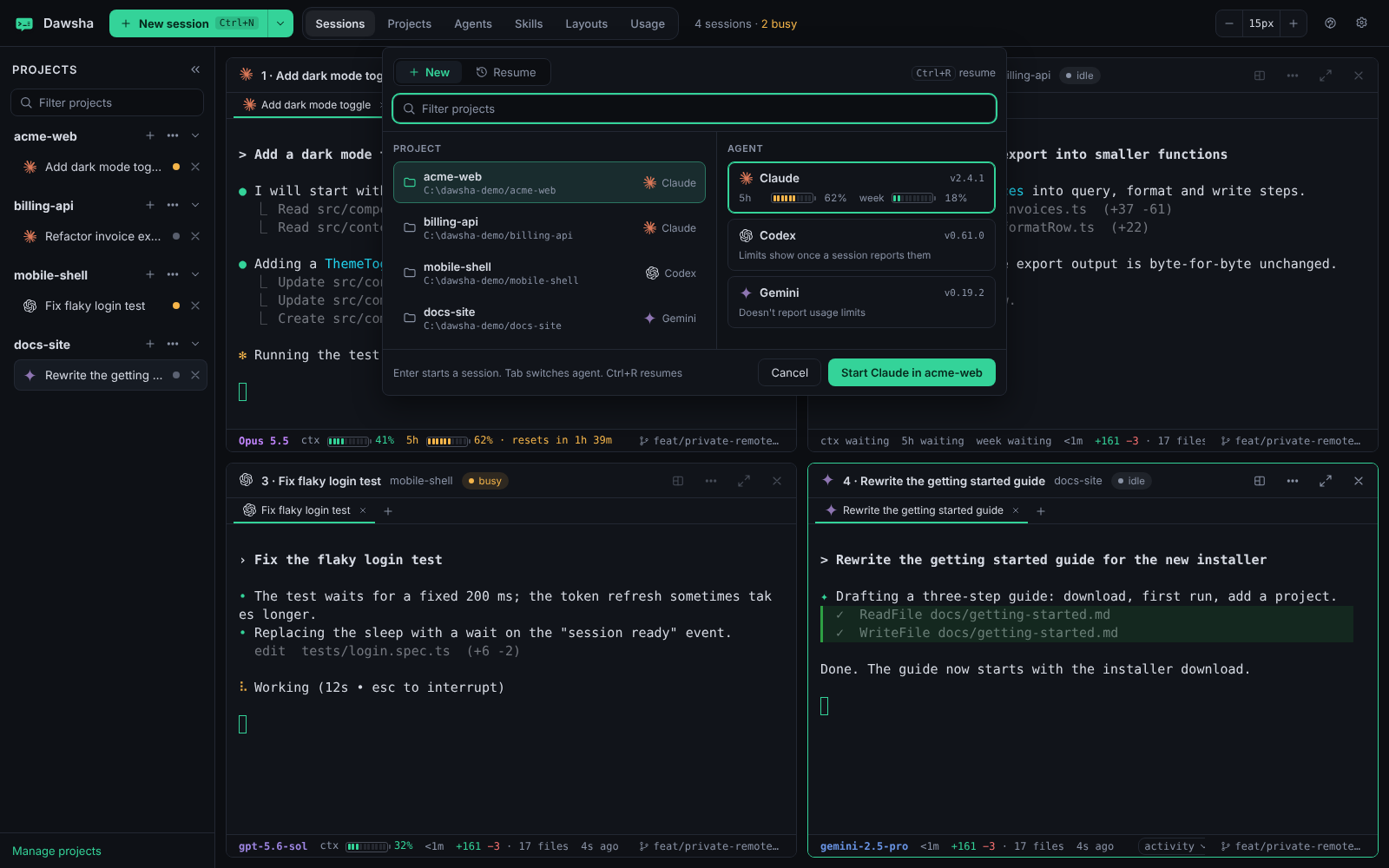
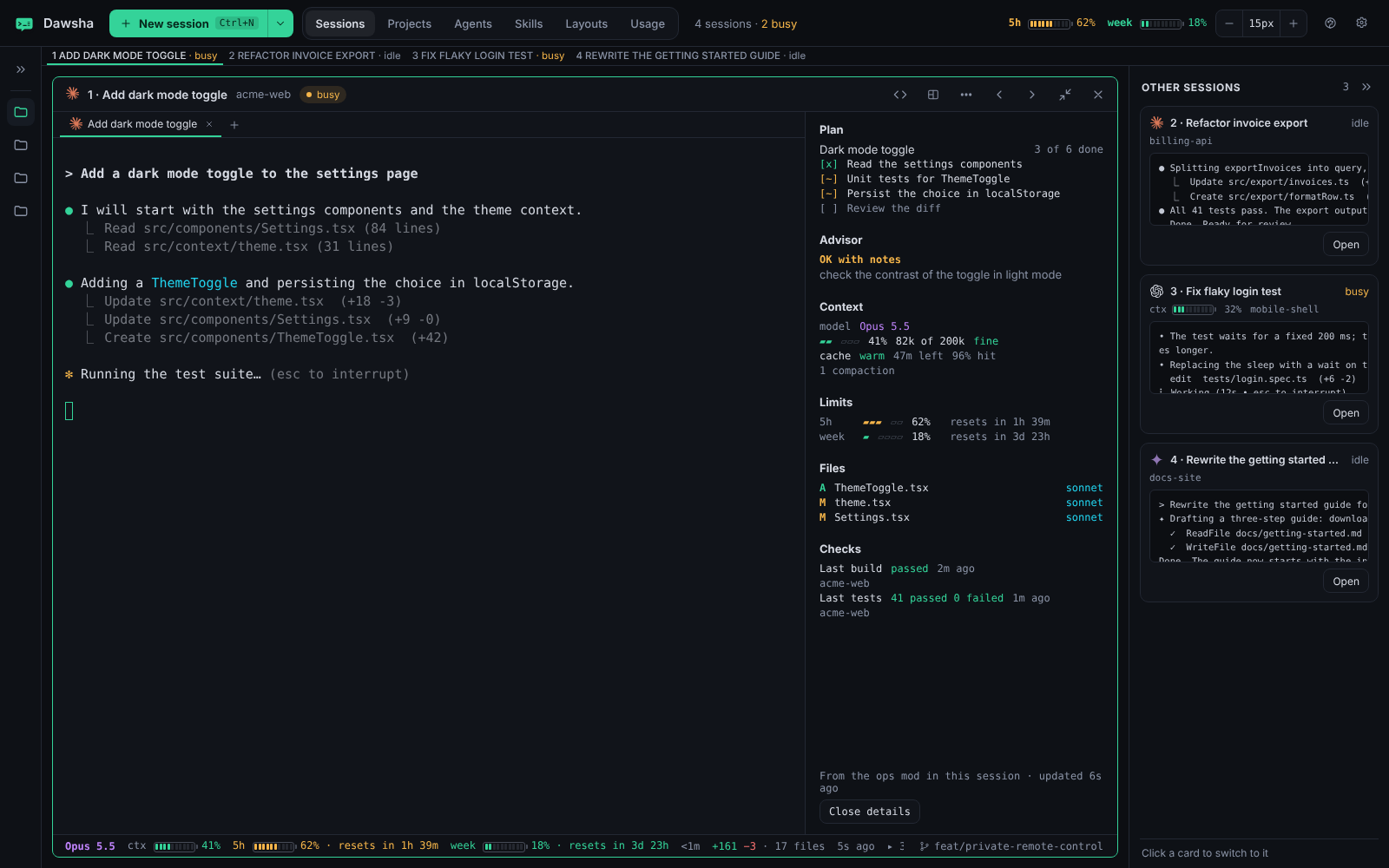
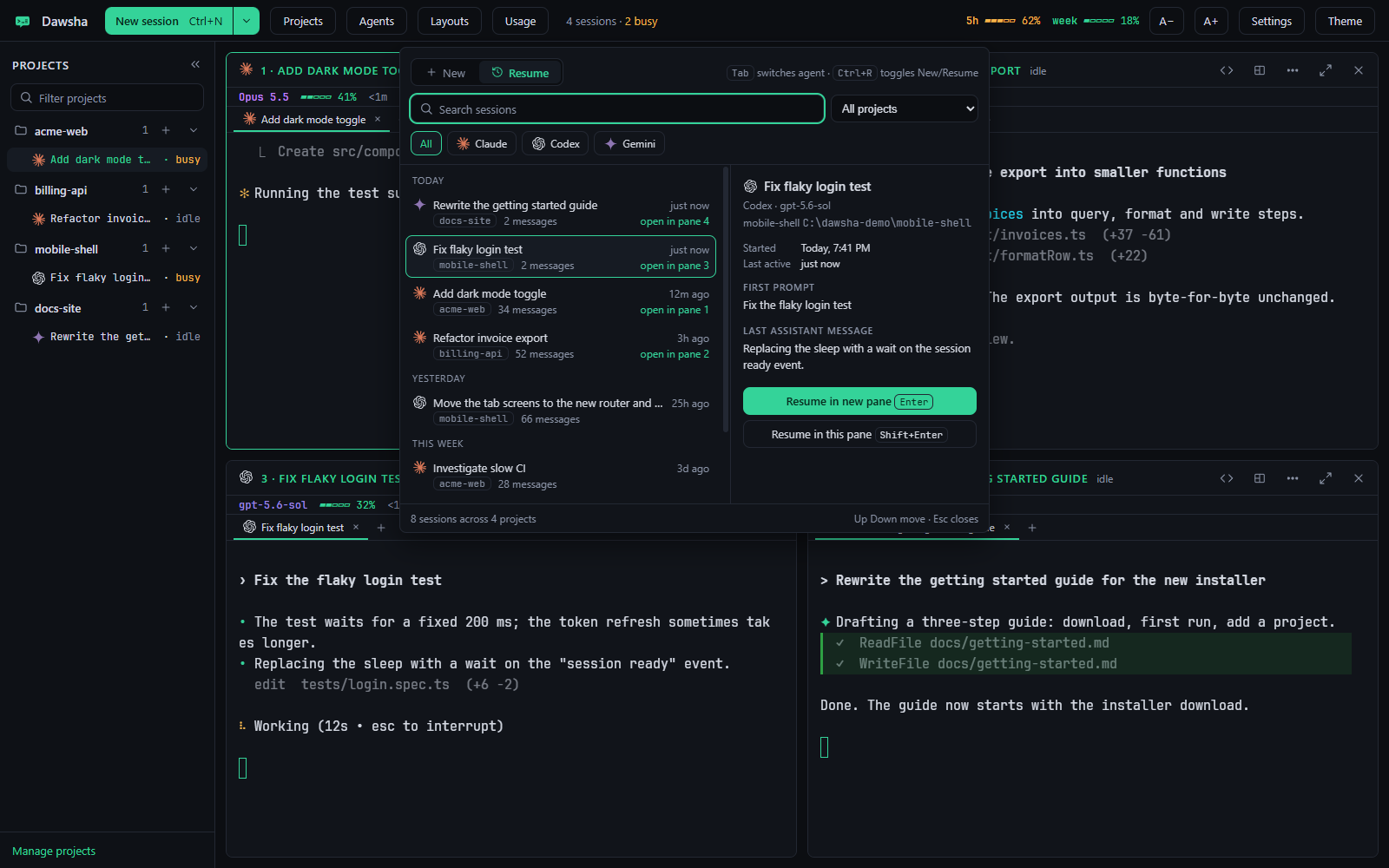
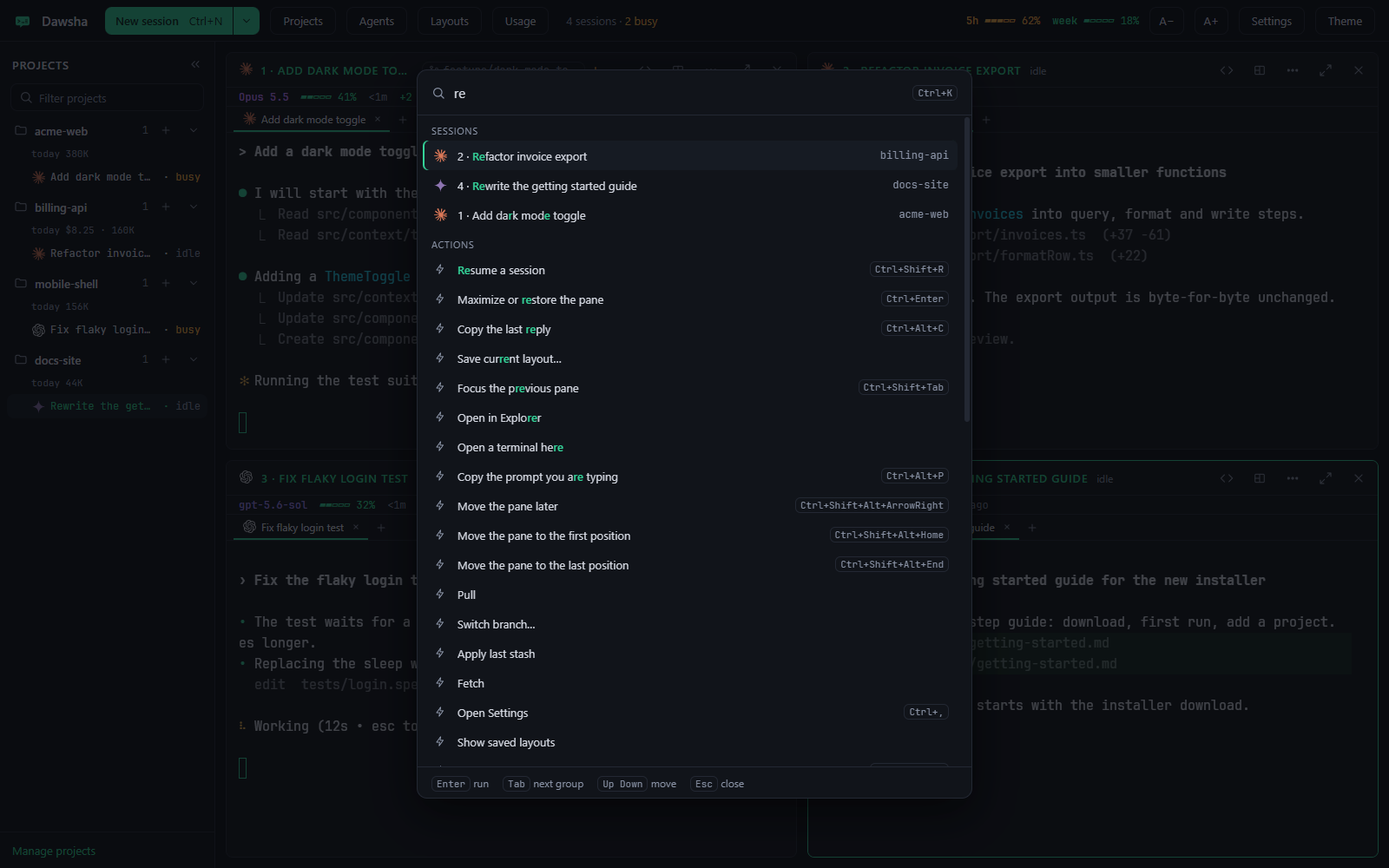
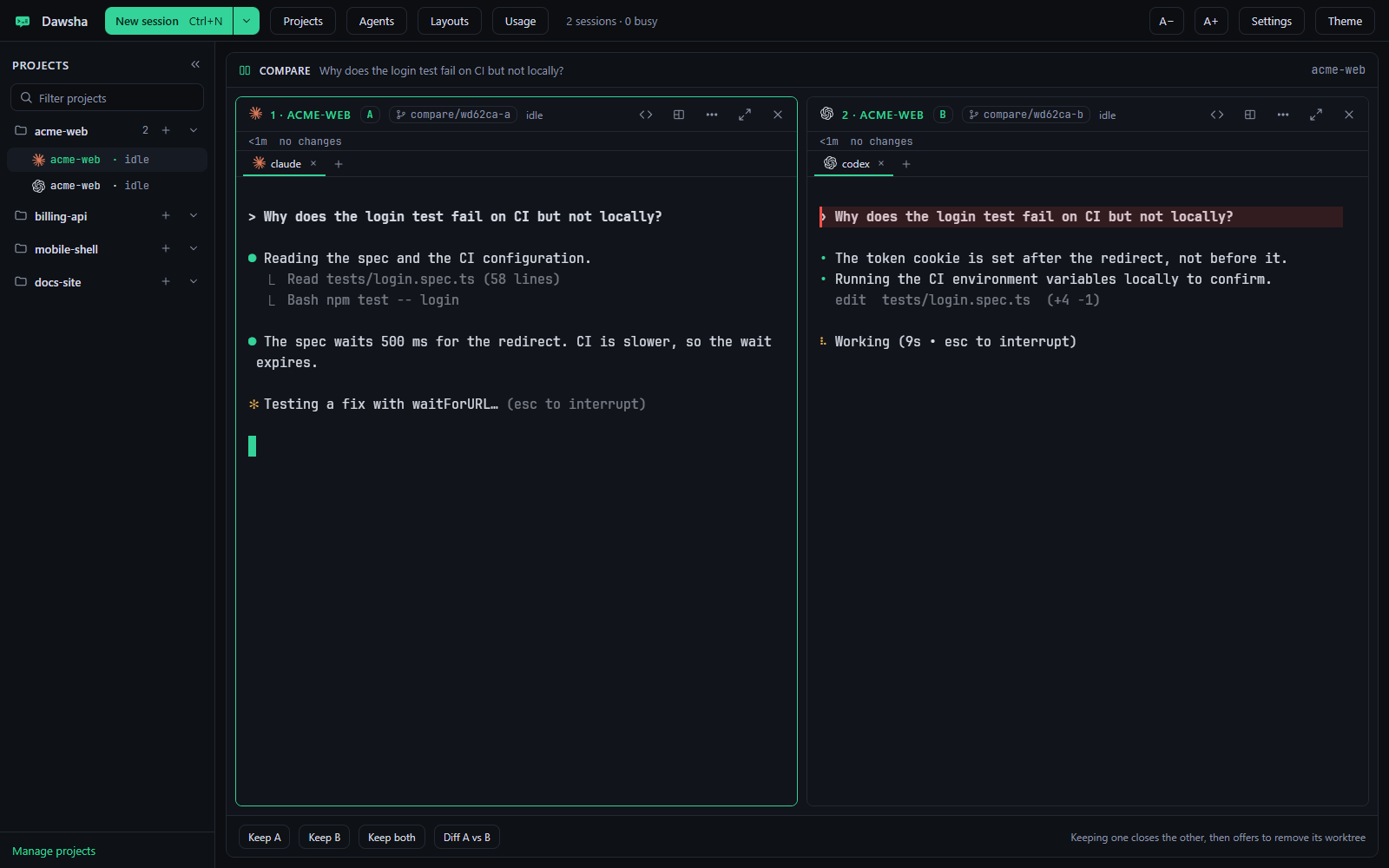
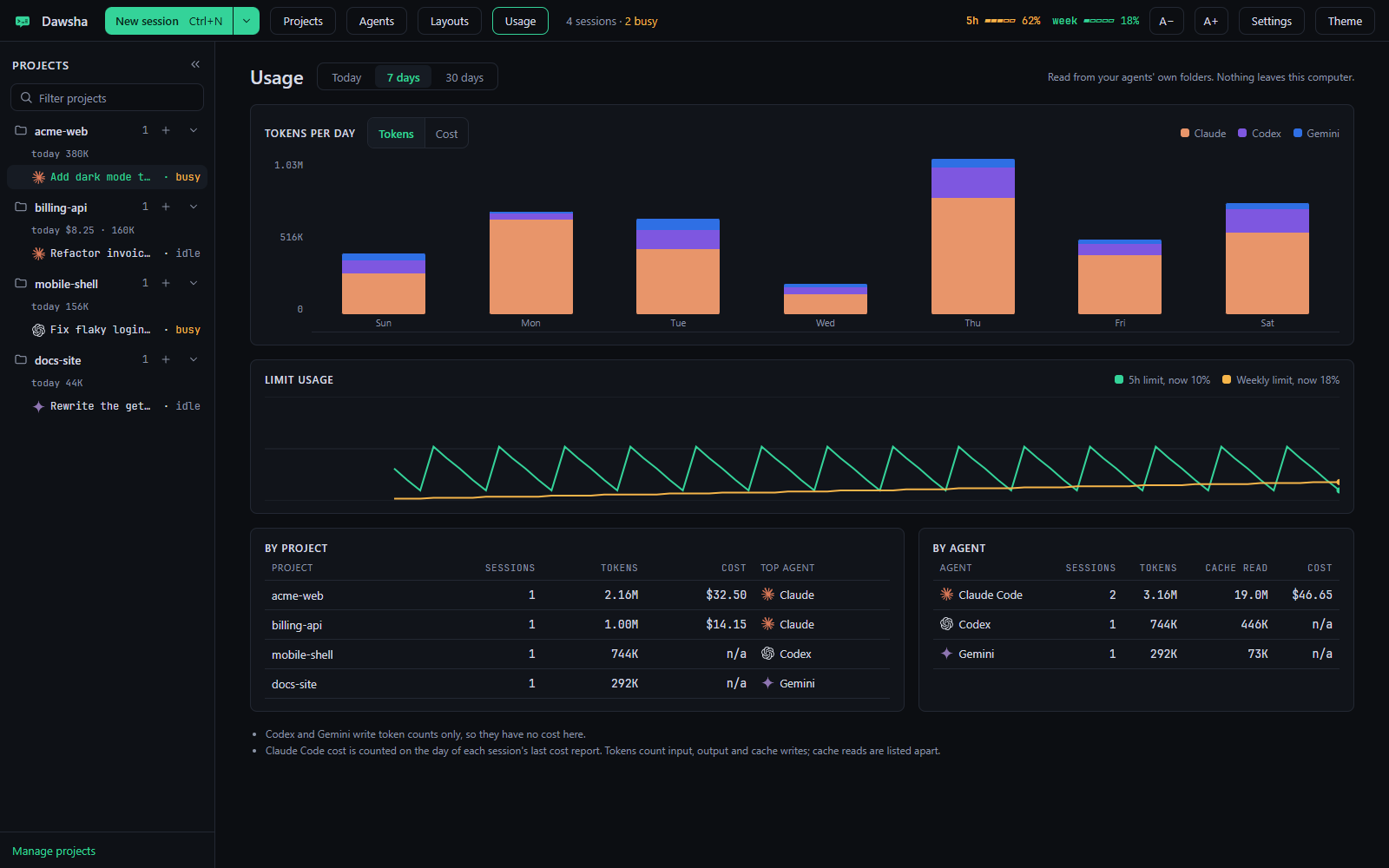
Step away from your desk and keep going. Turn on Remote Access in Settings, open the link on your phone and enter the pairing code. Your sessions keep running on your computer.
Remote Control is a beta feature.
Run the installer or the portable exe. Sign in once to each agent CLI you use, in any terminal.
Pick a folder and a default agent. A short first-run setup shows which CLIs it found.
Press Ctrl+N, or run dawsha . in a folder. Each agent runs in its own terminal.
Glance at status, plans and context. Come back when a session needs your input.
dawsha commandThe installer adds it to your PATH. Open a new terminal and drive Dawsha from where you already work.
# add this folder and start its agent
dawsha .

# start a specific agent on a project
dawsha start billing-api --agent codex

# pick up the newest session
dawsha resume --lastLatest release, Windows 10/11 x64, Apple Silicon Mac and Linux x64. Free under the MIT licence.
Windows 10 or 11 · x64
Apple Silicon · macOS 13 or later
x64 · AppImage or Debian / Ubuntu
Linux packages appear here after the first Linux release. If a package is unavailable, the link opens the latest release.
SmartScreen. The builds are not code signed, so Windows may show "Windows protected your PC". Choose More info, then Run anyway.
Requirements. Windows 10 or 11 (x64), an Apple Silicon Mac with macOS 13 or later, or Linux (x64). Install the agent CLIs you want to use: Claude Code, Codex CLI, Gemini CLI. Node.js 20+ is only needed to install Codex and Gemini from inside Dawsha.
Put every agent where you can read it.